

Overview
What Power Play Manager is, who it is for, which modules it has, and how each person sees only what concerns them.
TechnicianOffice / administratorSuper Admin
Power Play Manager brings together all the work of a company that sends teams to clients: security systems, IT, electrical, plumbing and heating installations, air conditioning, equipment repairs, maintenance. Clients and their sites, jobs, the team's daily plan, service calls, signed worksheets, vehicles, tools, quotes and invoices all live in the same app.
The app opens in your web browser, at the address you received from the vendor. There is nothing to install. It works the same on a computer (in the office) and on a phone (in the field).
Who it is for
- The field technician sees on their phone where they are going today, with whom and in which vehicle, takes photos, ticks off tasks and fills in the worksheet signed by the client.
- The office (administrators) makes the daily plan, schedules jobs, follows service calls and maintenance, and creates quotes and invoices.
- The Super Admin (usually the owner) has access to everything: company settings, what each role sees, the full log of actions.
Main menu
| Menu | What you find there |
|---|---|
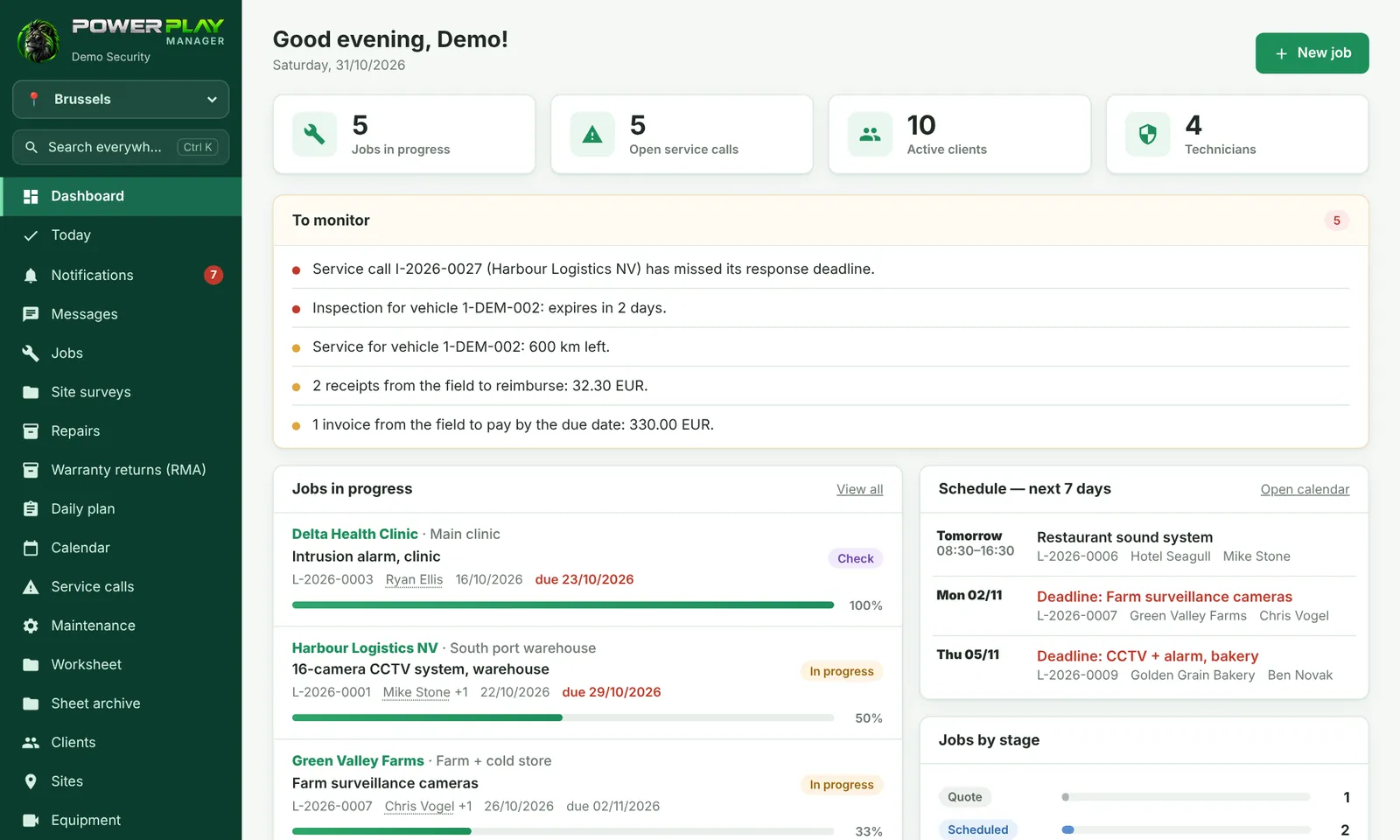
| Dashboard / Today | Summary of the day; for a technician, Today shows where they are going and what they have to do. |
| Daily plan, Calendar | Who works where, in which vehicle; the schedule by week or month. |
| Jobs, Service calls, Maintenance | Installations in stages, faults reported by clients, regular visits. |
| Worksheet, Sheet archive | The sheet for the client, signed on the phone and sent as a PDF. |
| Clients, Sites, Equipment | The client's page, their addresses and what is installed at each one. |
| Inventory, Fleet | The company's tools and who has them; vehicles, their deadlines and the trip log. |
| Quotes, Invoices | Office only: price quotes, invoices, receipts, delivery notes. |
| Users, Reports, Company settings | The administration area (Company settings is for the Super Admin only). |
Everyone sees what concerns them
Each person has their own account and a Role: Technician, Dispatcher, Administrator or Super Admin, plus roles created by the company (for example Team lead). A technician sees the jobs they are assigned to; the office sees everything. The Super Admin chooses, for each role, how it sees each module: Full, Read only or Hidden.
Optional modules
Besides the basic package, some modules are turned on separately for each company, on request: for example Messages, Sales, Fleet GPS, Repairs, Warranty returns (RMA), Stock, Monitoring, Password vault, Floor plans, Tony (assistant), Timesheet and profit, Contracts, e-Factura (ANAF), Branches or Working without signal. e-Factura (ANAF) is the Romanian electronic invoicing system and applies only to companies in Romania. If a module is not turned on, its menu does not appear at all.
Frequently asked questions
Do I have to install anything on my computer or phone?
No. The app opens in the browser. On a phone you can add it to the home screen, like a normal app.
How do we turn on an optional module?
Optional modules are turned on by the app vendor. Ask for it through your company's Super Admin.
Does it work without internet?
The app needs internet. If your company has the Working without signal module, the phone remembers what you saved and sends it automatically when the signal comes back.