

My stock
A technician sees the materials they carry and those in their vehicle; what goes on the worksheet is taken out of stock automatically.
TechnicianOptional module
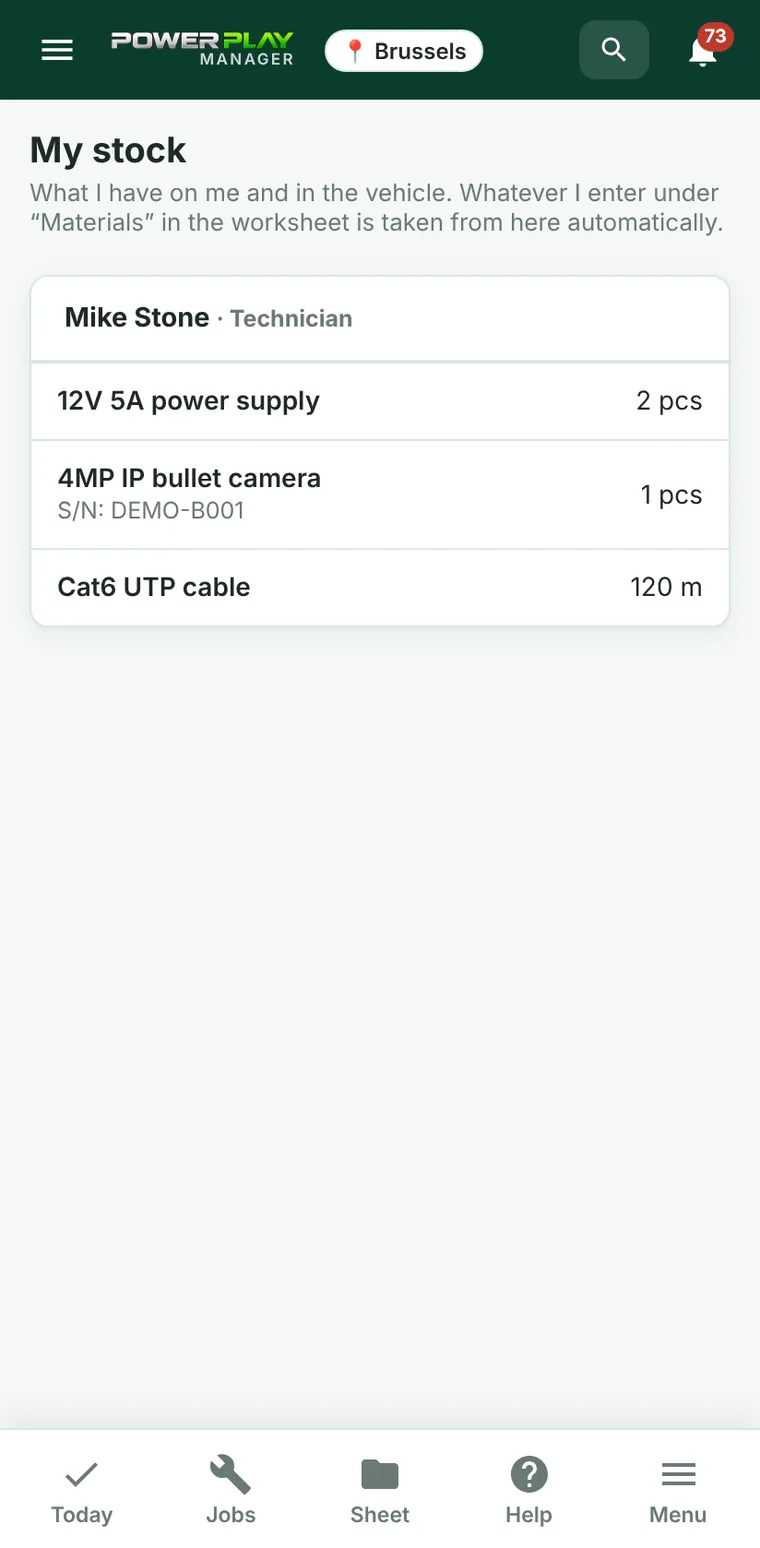
The My stock page shows the materials you carry and those in your vehicle, without prices. It is for technicians who don't have access to the full Stock menu.
Part of the optional Stock module. The menu appears only if the office has put stock in your name or on your vehicle.
What you see
- One card for each location: your own stock (Technician) and the stock of the vehicle assigned to you (Vehicle).
- On each row: the product, the quantity and the unit (pcs, m…).
- For products with serial numbers, the serial numbers appear under the name (“S/N: …”).
- Anything below the minimum quantity is shown in red with “(below minimum)”.
How stock goes down
- On the worksheet, under Materials, enter the product exactly as it appears in stock (the list suggests the name).
- Complete the worksheet (signed by the client).
- The materials are taken automatically from your stock; if you don't have them, from your vehicle; otherwise from the main warehouse.
Anything the app doesn't recognize goes to the office, which picks the right product once; next time the app recognizes it automatically.
Frequently asked questions
I don't see the My stock menu.
You don't have stock in your name or on your vehicle yet, or you have access to the full Stock menu. Ask the office.
The quantity is wrong.
Tell the office. Transfers and stock corrections are made from the Stock menu.
Do I see prices too?
No. My stock shows only quantities.
See also
StockKeep track of materials in the warehouse, in vehicles and with technicians: what comes in, what goes out, what is moved and what needs ordering.WorksheetThe worksheet for the client: filled in on the phone, signed by the client with a finger and sent as a PDF on WhatsApp or by email.Inventory (tools and equipment)The company's tools and equipment and who has them: a person, a vehicle or the warehouse, with handovers, history and requests from technicians.Materials & reimbursementsSee everything the team installed or bought on jobs, with a photo of the receipt, and mark what has been reimbursed or paid.Didn't find what you were looking for? Write to us and we'll get back to you.