

Sheet archive
All worksheets (made in the app, made with the assistant or scanned) and all trip logs, in one place.
Office / administratorSuper Admin
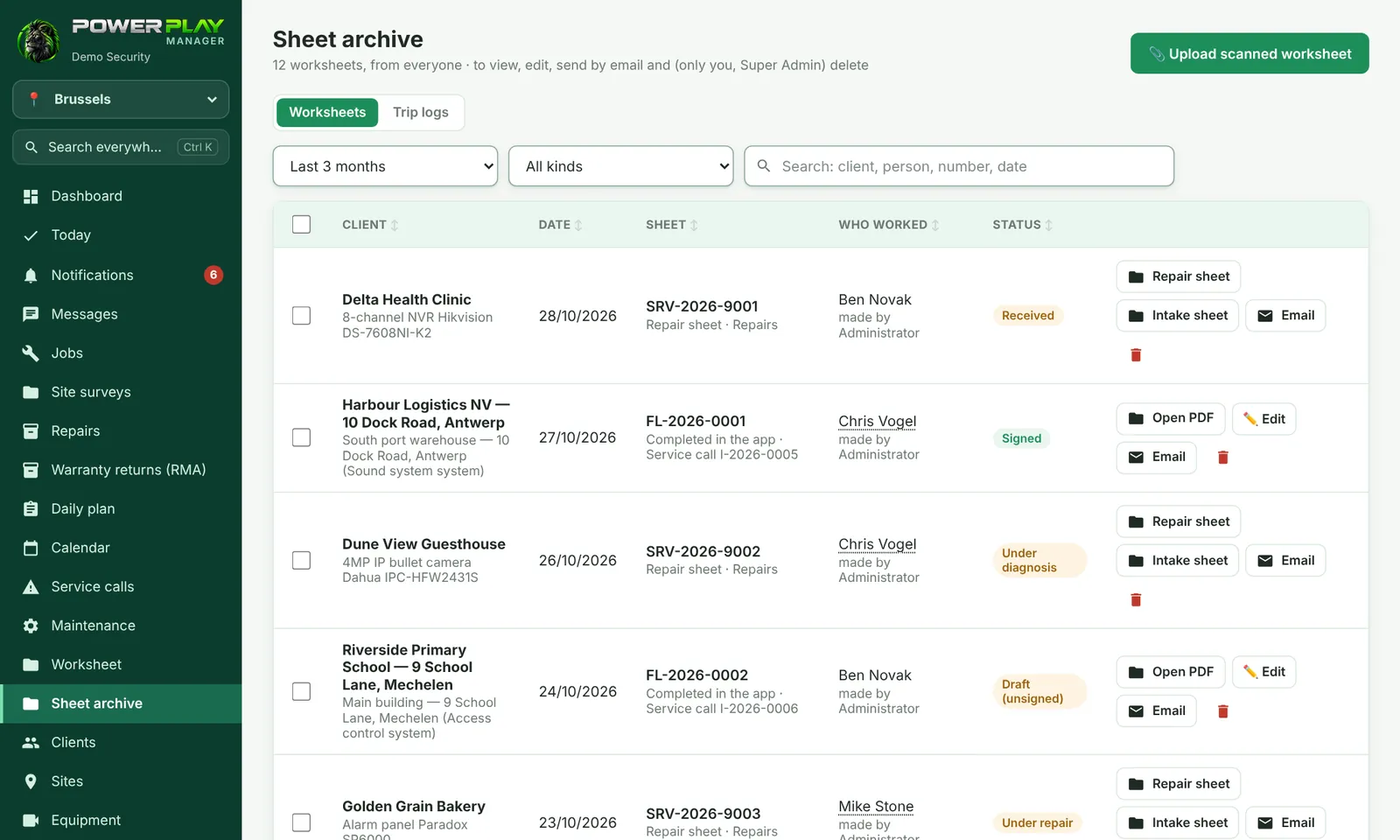
Sheet archive collects in one list the worksheets made by anyone in the company — filled in in the app, made with Tony Assistant, repair sheets and paper sheets uploaded as scans — plus the weekly trip logs of the vehicles.
Who has access
| Who | What they can do |
|---|---|
| Super Admin | Views, edits, emails and deletes sheets. |
| Administrator | Views, edits and emails worksheets. |
| Other people (e.g. a team leader) | Only if the Super Admin has ticked, in Users, Sees all worksheets (the “Sheet archive” menu) and/or Sees all trip logs (the “Sheet archive” menu). They can only view and download. |
How to find a sheet
- Open Sheet archive. If you have access to both, choose Worksheets or Trip logs at the top.
- Choose the period: Last 3 months, This month, Last month, This year, Entire archive or Other period….
- For worksheets, choose the type: Completed in the app, Made with Tony, 📎 Scanned / paper or Repair sheets.
- Type the client, person, number or date in the search box.
- Tap Open PDF on the sheet you want.
Paper sheet: upload the scan
- Tap 📎 Upload scanned worksheet.
- Choose The client and, optionally, the job or service call it belongs to.
- Fill in the date, the name of the client who signed, the hours and who worked.
- Tap 📷 Photograph a page (once for each page) or 📁 Choose the file (PDF or photos). Photos are joined automatically into one PDF (max 25 MB).
- Tap Upload the worksheet. The sheet gets a number and appears in the archive.
Several sheets by email at once
Administrators can tick several sheets in the list; Send by email appears at the bottom — they all go in one email, with the PDFs attached. For a single sheet, use the Email button on its row. ✏️ Edit opens the sheet (if it was signed, it is reopened and the client's signature is removed).
Frequently asked questions
Where do I find the vehicles' trip logs?
In the Trip logs tab. The week's logs are saved automatically every Monday morning; you can filter by vehicle.
I don't see the Sheet archive menu. Why?
The archive is visible to administrators and to people ticked by the Super Admin. Ask the Super Admin to tick the right option for you in Users.